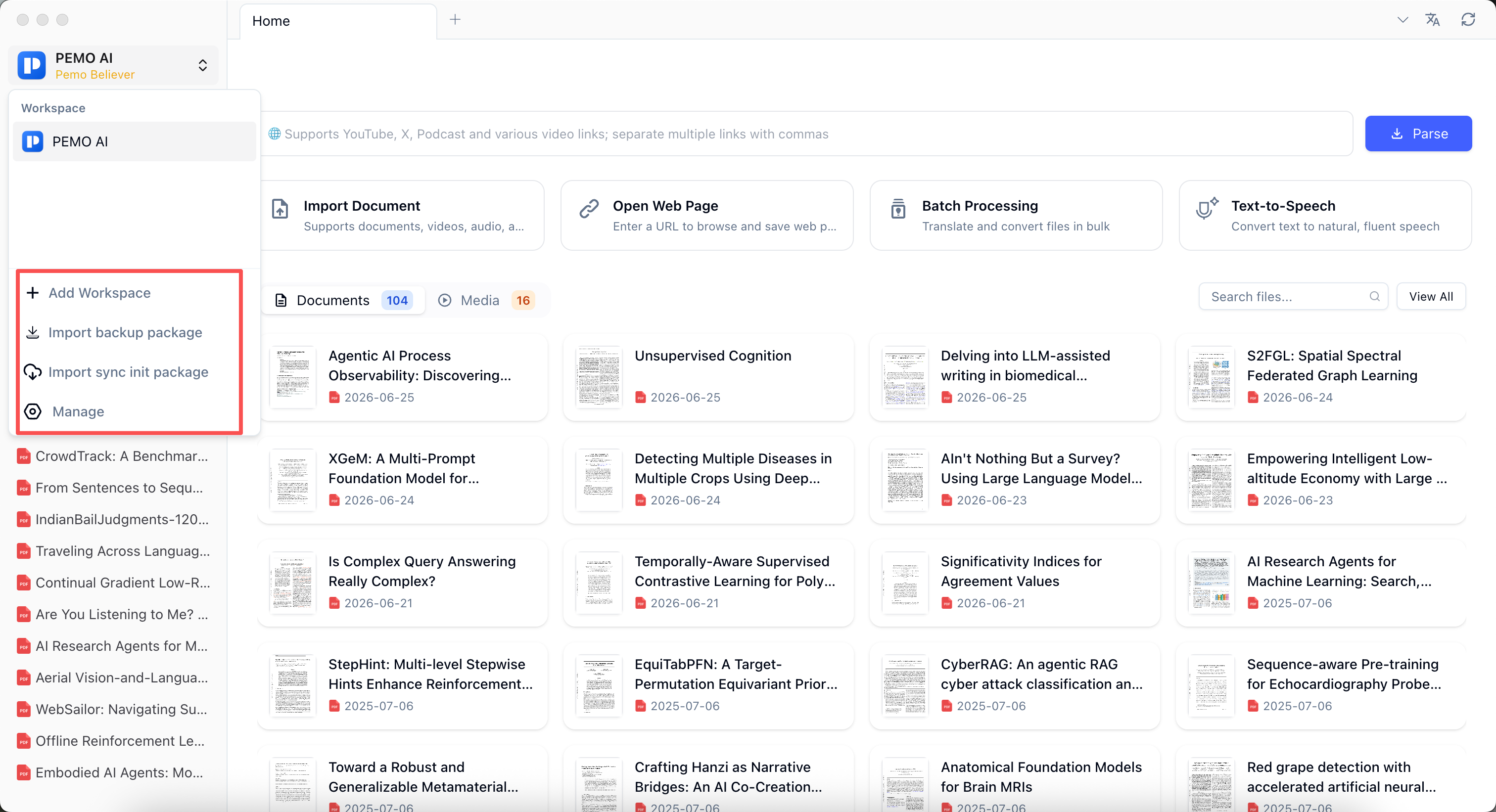
- Start with the default workspace and put papers, review articles, textbook chapters, conference papers, and web sources in one place.
- Use Pemo for foreign-language PDF translation and bilingual reading while keeping the source PDF, page numbers, annotations, and notes together.
- During close reading, turn research questions, methods, datasets, findings, and limitations into reusable literature cards.
- Use AI summaries, document-context Q&A, and mind maps to draft a review structure, then return to the source PDF for manual verification.
1. Start from the default workspace
You do not need a complicated workspace structure on day one. Put PDFs, web pages, notes, supervisor comments, and meeting recordings into the default workspace first, then let translation, summaries, notes, and media processing happen in the same flow.
When the topic becomes clearer, create folders such as Topic, Course Reading, Proposal, Methods, and To Review. Create a new workspace only when projects, clients, courses, or sensitive materials need to be separated.
- Import English PDFs, Chinese papers, Word files, Markdown notes, web pages, course videos, and interview recordings.
- Open View All on the home screen to browse files in a table and filter by title, tags, file type, folder, and recent reading time.
- Create folders such as Core Papers, Methods, Case Materials, To Read, and Processed.
- Add tags such as Read, Needs Translation, Citable, Needs Review, and Recommended.
- Create a new workspace only when different topics or sensitive materials need clearer boundaries.
2. Lower close-reading cost with PDF translation
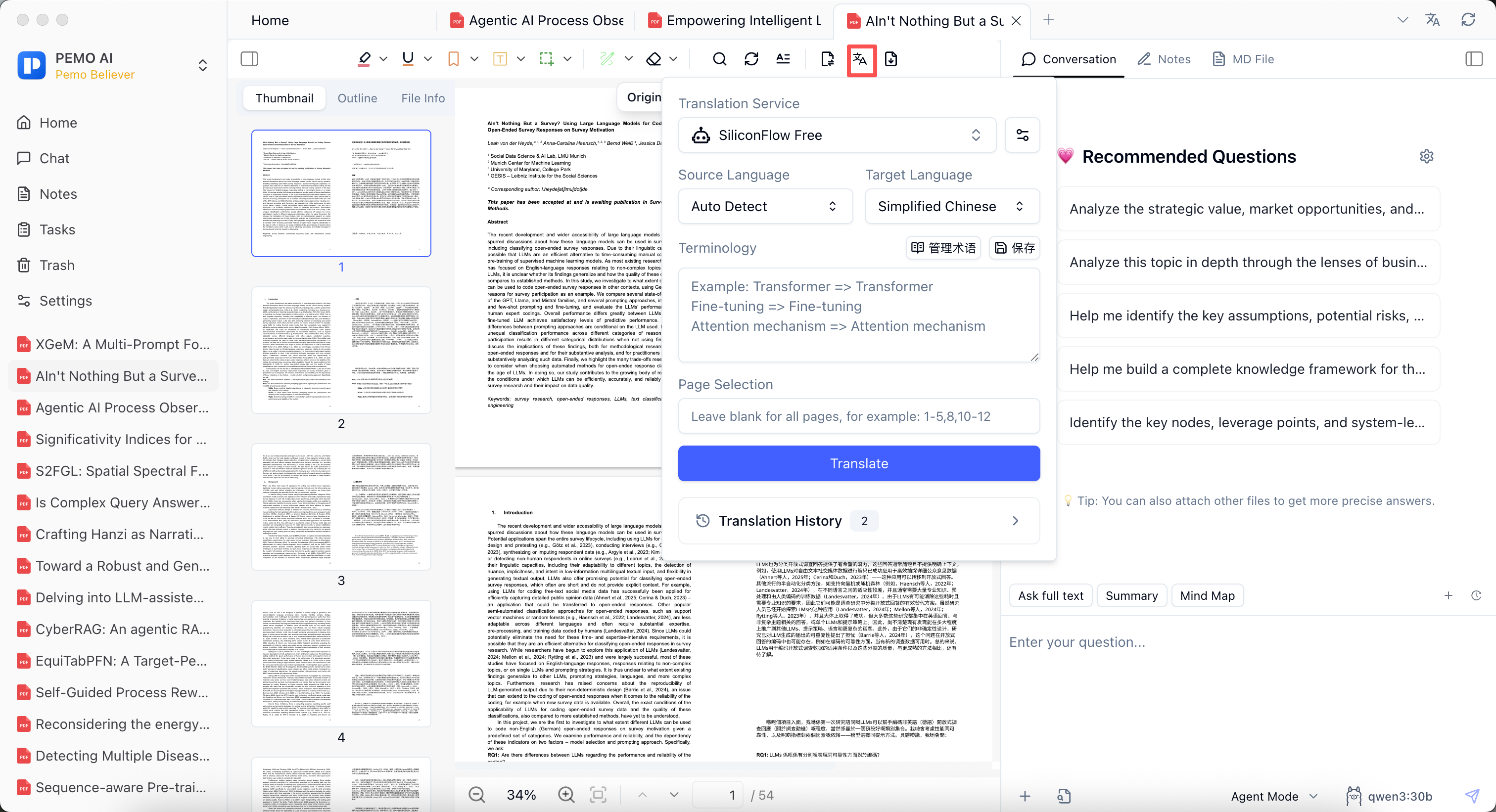
Instead of pasting an entire paper into a separate translator, keep the original PDF in Pemo and configure the translation service, source language, target language, terminology, and page range before reading.
For definitions, methods, citations, or dense sentences, bilingual PDF reading keeps the source and translation side by side so key passages can be highlighted, annotated, and added to notes.
3. Turn reading into literature notes
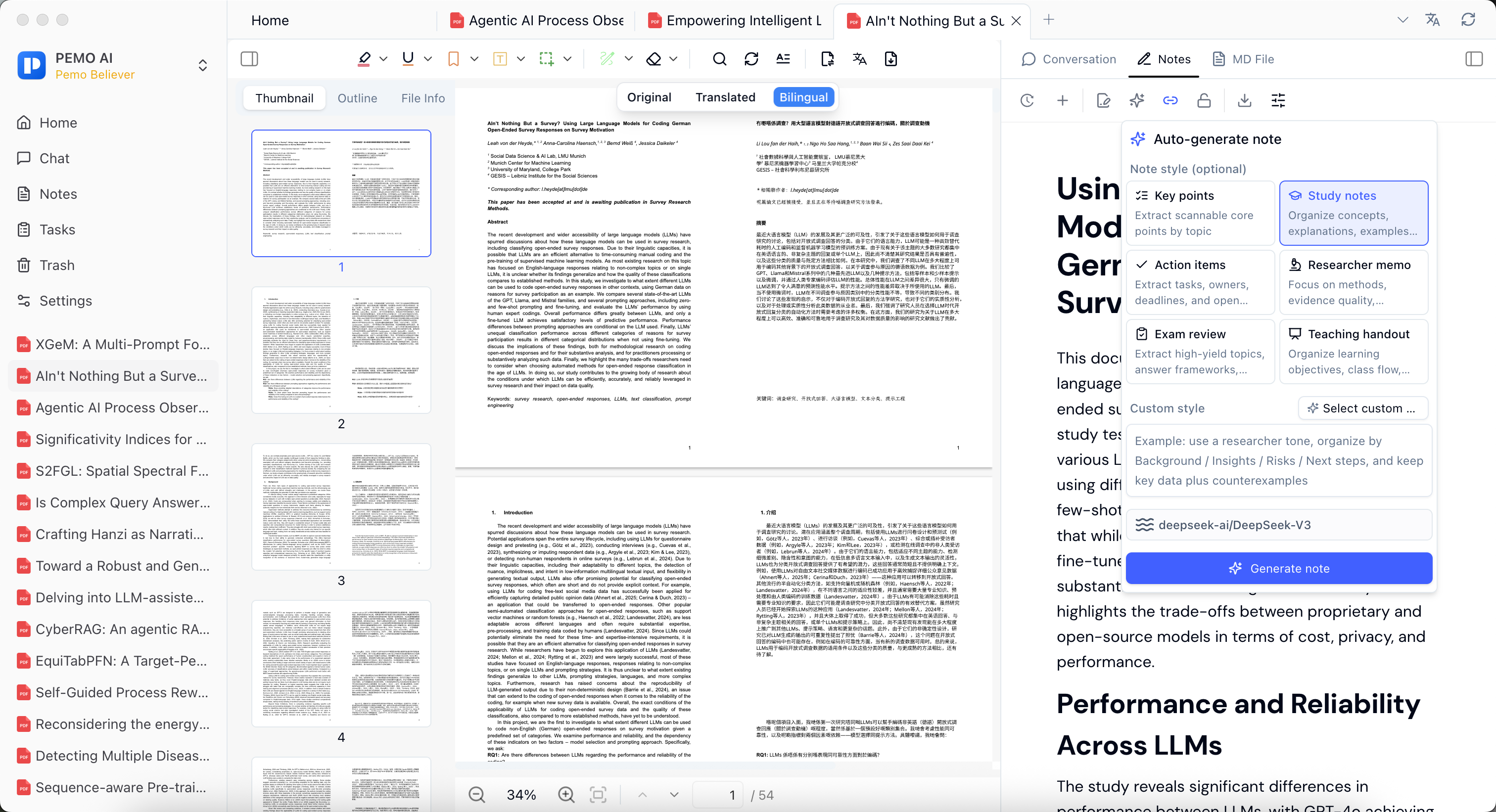
A literature review needs comparable, citable, and reviewable notes, not only a full-document translation. Pemo can generate notes in styles such as key points, study notes, action items, researcher memo, exam review, and teaching handout.
Literature card prompt
Based only on the current paper, create a literature card with: research question, theoretical frame, method and data, key findings, limitations, citable source text, and possible relevance to my topic. If the paper does not support an item, write "not stated in the paper".
4. Build the review outline with AI summaries and Q&A
Pemo's Q&A is different from generic chat because the question sits next to the current PDF, translation, notes, tags, and file library context. It is useful for discovering structure, comparing papers, and drafting a review outline.
AI output should guide reading priorities, not replace verification. Return to the PDF, translation, annotations, and notes before quoting or making claims.
How Pemo Q&A differs from ordinary chat
- Ordinary chat is temporary; Pemo keeps Q&A beside reading, translation, annotations, and notes.
- The workflow reduces repeated copy-paste between tools.
- Important claims still need manual verification in the original paper or note source.