Key points
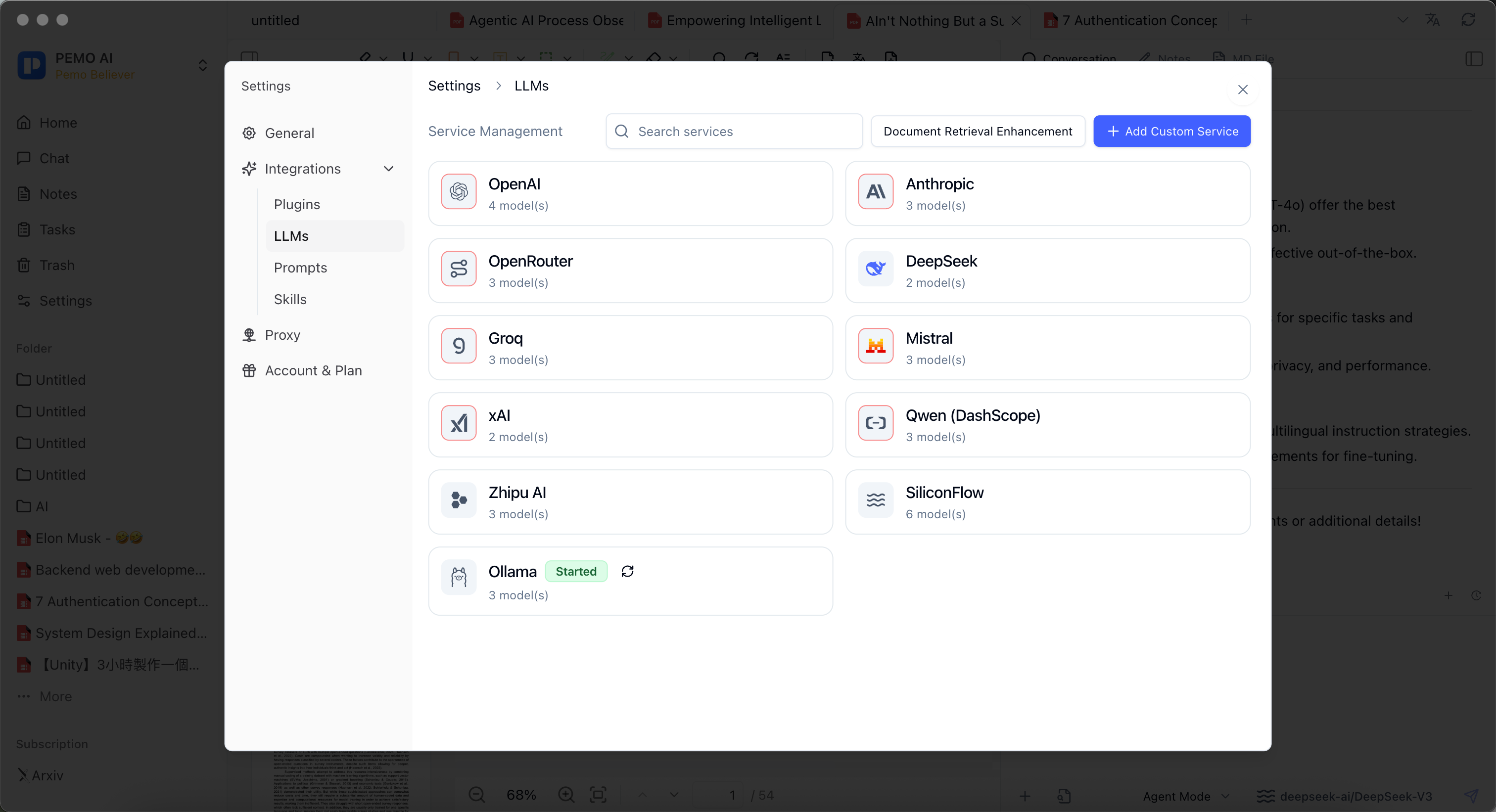
- Pemo's privacy idea is local-first: when Q&A, transcription, and organization can happen locally, prefer local services.
- Sensitive contracts, client files, internal reports, and non-public meeting records can use local models such as Ollama for document-context Q&A.
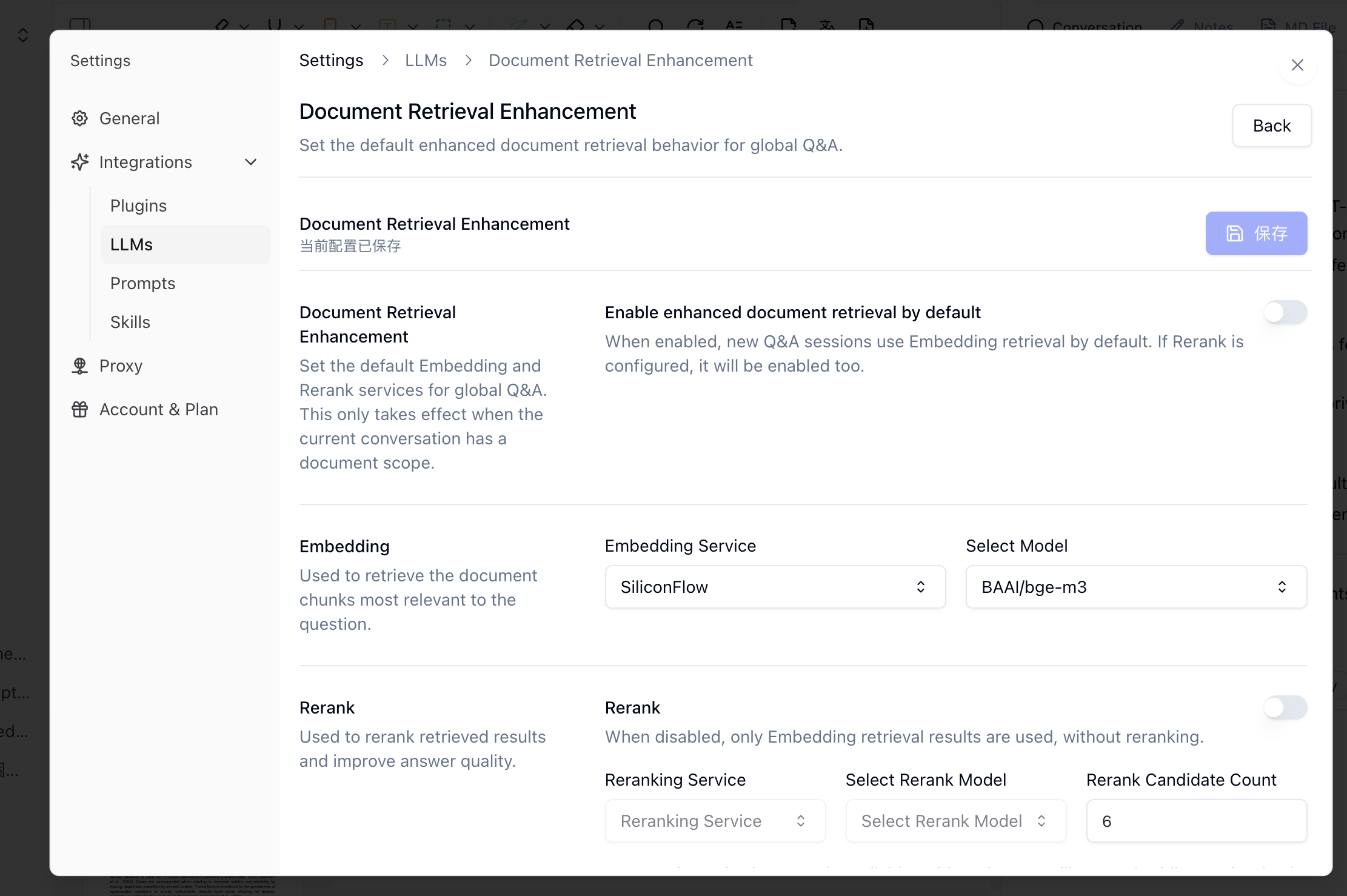
- Enhanced retrieval can combine Embedding retrieval and Rerank to improve long-document Q&A.
- Confirm the study scope first, then choose a suitable skill or task instruction to reduce off-topic answers.
- If cloud translation, cloud transcription, sync, or third-party plugins are enabled, confirm each service's data flow separately.
1. Privacy and local-first principles
Sensitive material includes contracts, client files, meeting recordings, interviews, internal training videos, unpublished reports, personal information, and confidential research materials. In Pemo, put locally available steps on the local machine whenever possible.
Local-first does not mean every capability is always offline. It means choosing local models and local transcription first, then checking cloud services separately when they are needed.
2. Use enhanced retrieval for long documents
When a PDF is long or a meeting record contains many topics, plain context may miss important passages. Document Retrieval Enhancement can use Embedding retrieval and optional Rerank to find more relevant chunks before the model answers.
3. Connect local transcription and local Q&A
- Import meeting recordings, interviews, class videos, or training materials.
- Choose an available local transcription service when processing sensitive media.
- Review names, numbers, terms, timestamps, and sensitive information after transcription.
- Use a local model such as Ollama to generate meeting notes, class notes, action items, or risk lists from the transcript.
- Confirm the study scope, then choose a skill such as meeting notes, study notes, risk review, or interview analysis.
Local-first boundaries
- Local services reduce external exposure, but they do not replace internal permission, redaction, and audit processes.
- If the same material is synced to WebDAV, cloud storage, or third-party plugins, local processing does not make the sync path local.
- Important legal, customer, research, or public-facing conclusions must be checked against the source material.