- Import a set of papers, reports, or course PDFs into Pemo before processing them in bulk.
- Choose a batch translation task, set service, source language, target language, and page range, then process multiple files at once.
- Use PDF translation when layout matters, PDF2MD when structured text is needed, and transcription tasks for media files.
- Batch output should still be reviewed for terminology, tables, footnotes, page numbers, and scanned OCR errors.
- Processed files can continue into bilingual reading, notes, AI summaries, and document-context Q&A.
1. When batch processing helps
- Graduate research: import a set of papers, translate abstracts and conclusions first, then choose what to read closely.
- Legal and compliance: organize cases, regulation PDFs, contract templates, and comparative law materials.
- Consulting and research: process reports, white papers, financial documents, interviews, and meeting materials.
- Course learning: organize slides, textbook chapters, reading packs, and lecture records.
- Common batch tasks include PDF batch translation, PDF batch conversion to Markdown, and media batch transcription.
2. Select multiple files for translation
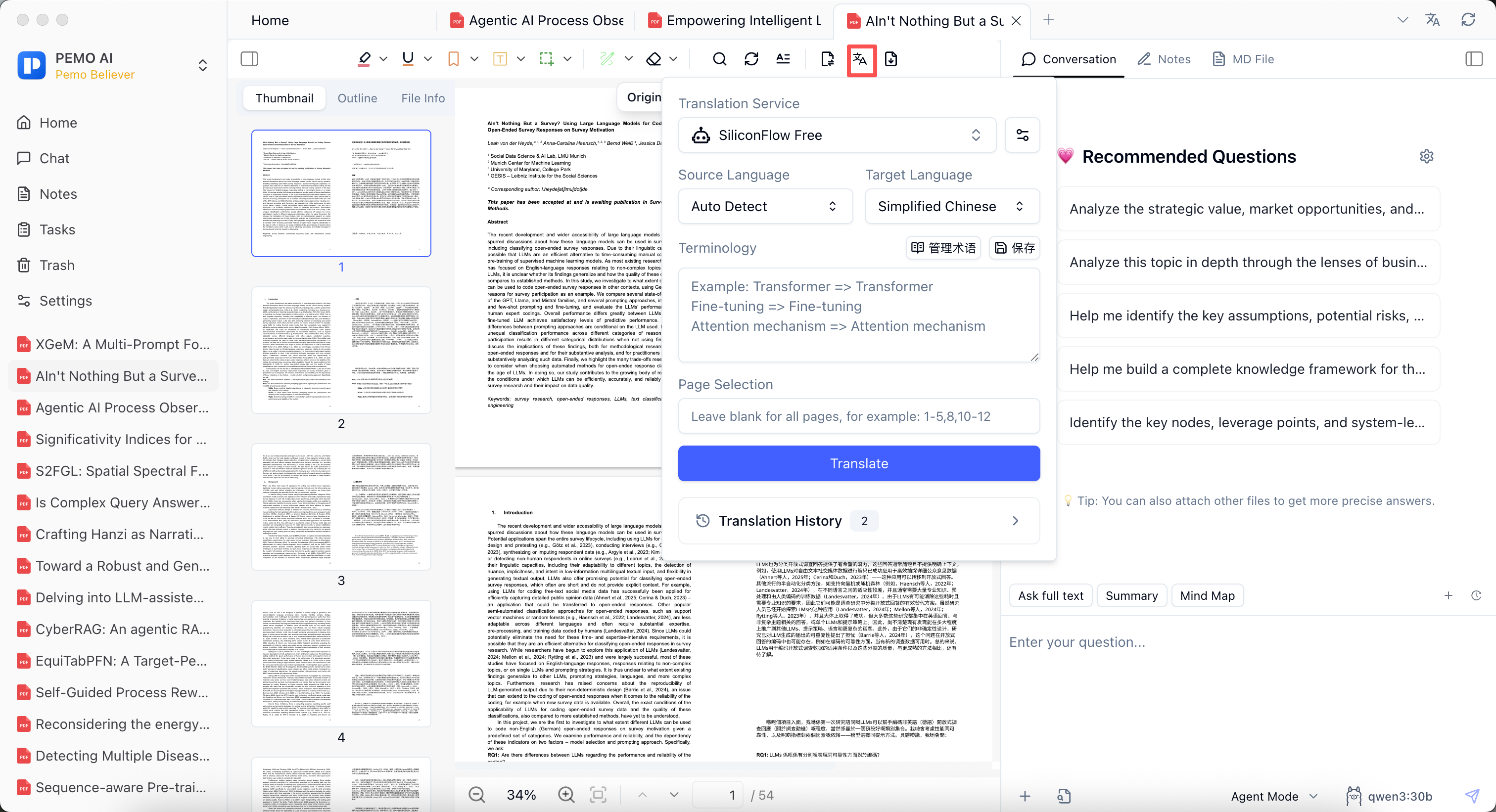
The batch processing panel is designed for multiple papers, reports, or course materials. Choose the task type, select files from the list, filter by folder if needed, and start the task. Progress is checked in Task Management.
For translation, configure service, source language, target language, and page selection. Leave the page field blank for all pages or enter a range such as 1-5,8,10-12.
3. Convert PDFs to Markdown with PDF2MD
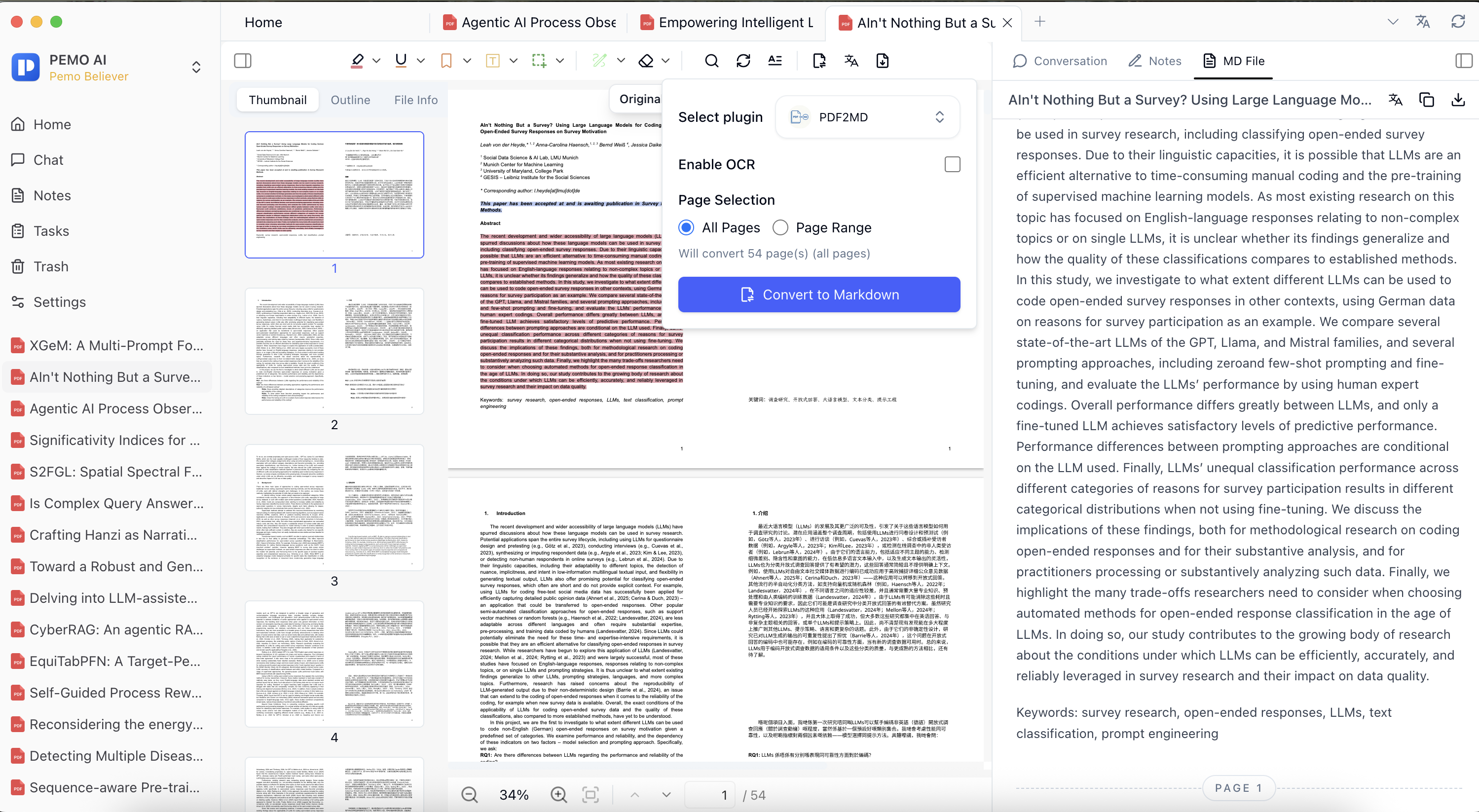
- Choose Convert to Markdown from the PDF reader or batch processing.
- Select the PDF2MD plugin and decide whether OCR is needed.
- Use OCR for scanned or image-based PDFs; skip it for clean digital PDFs when possible.
- Convert all pages or only the pages you need.
- Review heading levels, page numbers, footnotes, tables, and formulas after conversion.
4. Continue from translation to Markdown, notes, and Q&A
Pemo's value is not a single PDF translation task. It connects translation, reading, notes, AI Q&A, media transcription, and text-to-speech so processed files stay inside the same library.
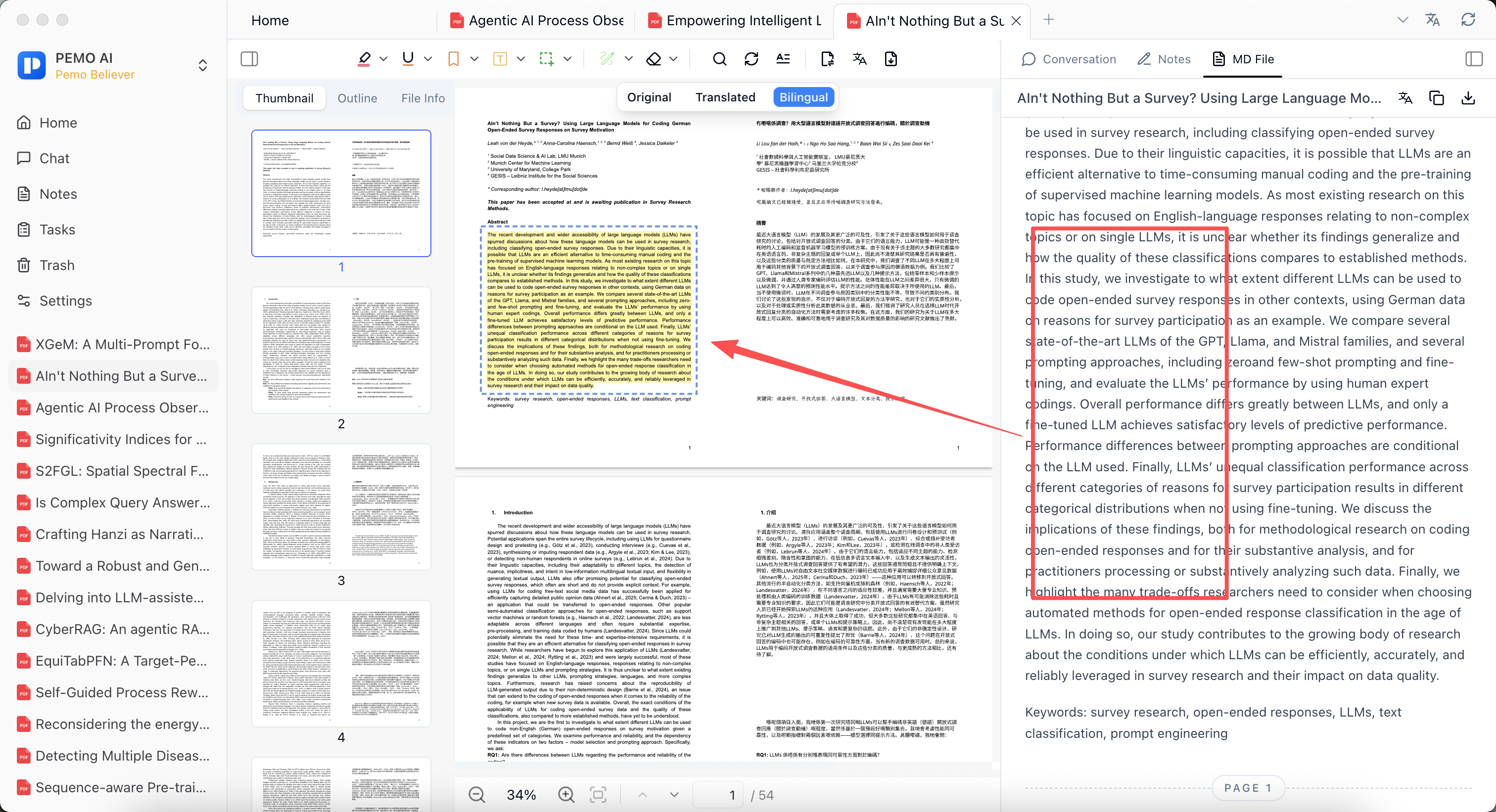
Markdown/MD File view can locate related original PDF passages, which helps verify context when organizing translated PDFs, excerpts, and structured notes.
Batch processing still needs review
- Check terminology, legal terms, research concepts, and figure captions after PDF translation.
- Check page numbers, footnotes, heading levels, tables, and formulas after PDF to Markdown conversion.
- For papers, legal advice, customer reports, or public content, verify against the original PDF.