- Use the default workspace for cases, regulation PDFs, contracts, meeting notes, and client materials; split by client or matter later.
- Use foreign-language PDF translation, bilingual reading, highlights, and annotations to work through legal English carefully.
- Save rules, issues, reasoning, risk points, and citable source passages into notes.
- For client materials and internal contracts, prioritize local models such as Ollama when doing document-context Q&A.
1. Build a legal material library
Legal work often mixes cases, regulations, contracts, meeting records, client files, and research papers. Pemo helps keep those materials in one searchable, annotatable, and question-ready workspace.
Start in the default workspace. When confidentiality, client boundaries, or matter stages become more complex, split materials by client, matter, contract type, jurisdiction, or compliance topic.
- Lawyers: client projects, due diligence files, contract templates, case research, and hearing preparation.
- In-house legal teams: contract review, policies, internal rules, regulatory files, and meeting notes.
- Compliance teams: regulatory rules, review checklists, risk assessment, reports, and remediation records.
- Researchers: comparative law materials, foreign cases, papers, regulation history, and commentary.
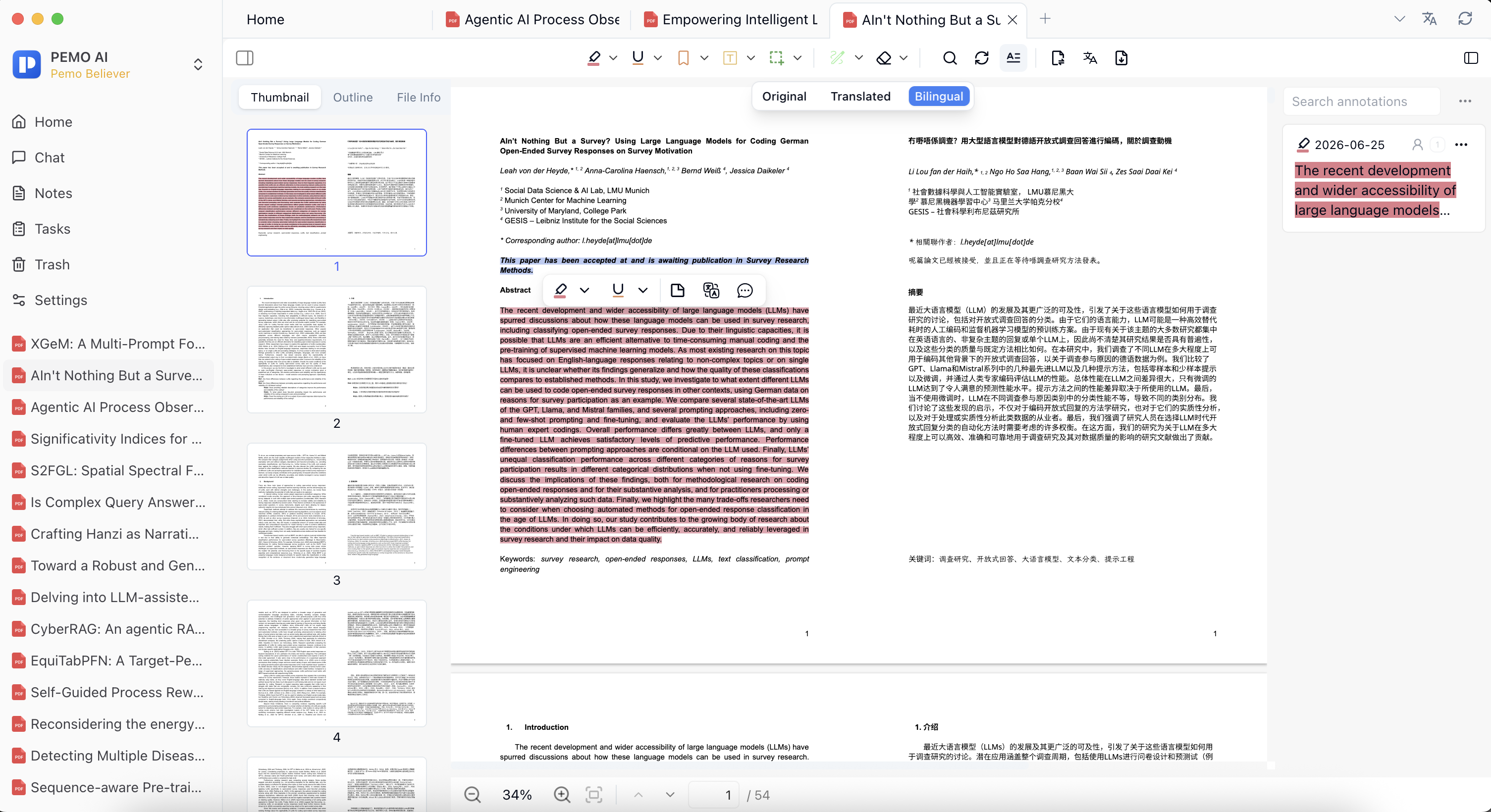
2. Read cases and regulations in bilingual PDF mode
- Import a case, regulation, contract, or legal article PDF.
- Skim the table of contents, facts, issues, reasoning, and conclusion before deciding what to read closely.
- Switch between original, translated, or bilingual mode to compare long sentences and key legal terms.
- Keep terms such as holding, ratio decidendi, obiter dictum, and burden of proof in the source language when needed.
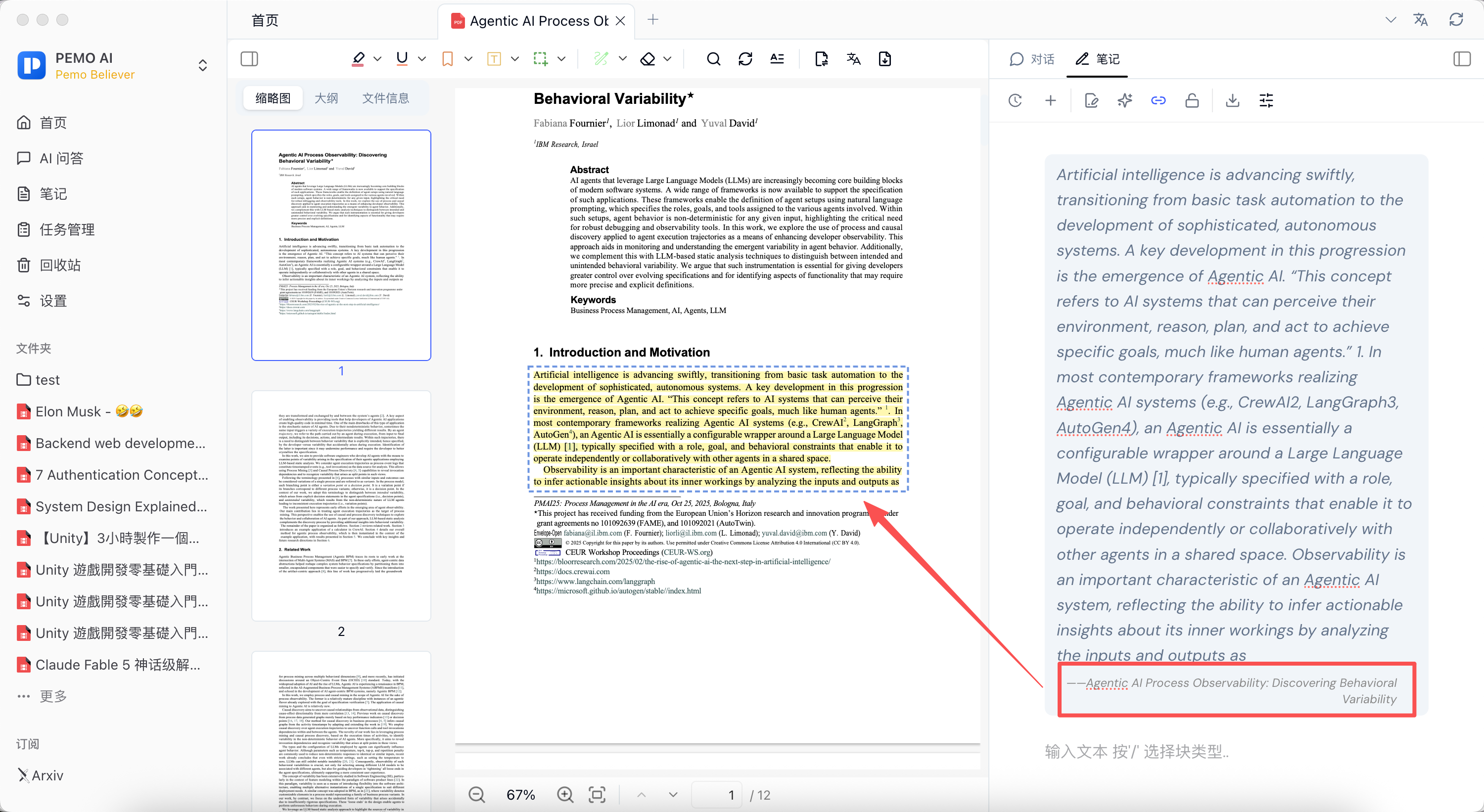
- Add citable passages to notes with page context and your own interpretation.
3. Organize case notes and contract risks
The notes panel is useful for breaking legal materials into reusable units: facts, issues, rules, application, conclusion, risks, and evidence. Referenced note passages can bring you back to the original PDF context for review.
Contract review prompt
Based on the current contract only, list potential risks around payment, delivery, liability, termination, confidentiality, IP, jurisdiction, and dispute resolution. Include relevant clause names or snippets and separate questions that require human confirmation.
4. Prefer local models for sensitive legal materials
Legal documents can include client identities, transaction structures, trade secrets, and non-public disputes. In Pemo, choose local-first services such as Ollama for sensitive document Q&A whenever appropriate.
Pemo differs from ordinary chat because Q&A happens next to the current case, contract, regulation PDF, and notes. Results still need manual review against the source text.
Verify legal Q&A against the source
- Pemo helps organize and ask questions around the current legal material.
- AI output is not a legal conclusion and cannot replace professional review.
- If cloud translation, sync, or third-party services are used, check their data handling separately.